
Free Trial

Always receive our emails!
We have some tips for you to always receive our emails, check them out:
Look for the "Promotions" tab
Some email services have a Promotions tab.
BidHits Australia e-mails are sent automatically and it is common for your e-mail service to place them in this tab.
Add our emails to your contacts
In your email contact list, include the addresses:
This action is useful in most email services.
Email arrived as spam?
In the main e-mail services, enter the "spam" folder, select our messages and look for the "Not spam" option.
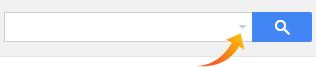
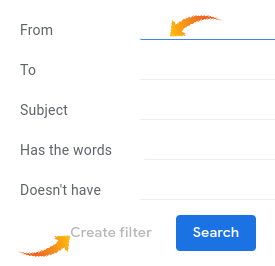
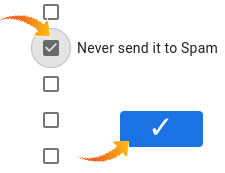
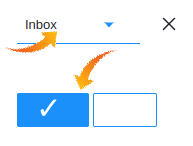
Special settings: Gmail | Yahoo Mail | Outlook (Hotmail)

Privacy policy
| © 2011-2026 BidHits Australia is a registered trademark of Portal Genial. All rights reserved.
BidHits Australia is limited to the provision of tender database maintenance service, not participating in the processes.
Some information may contain unintentional inaccuracies. Always consult the notice for each tender.
BidHits Australia is limited to the provision of tender database maintenance service, not participating in the processes.
Some information may contain unintentional inaccuracies. Always consult the notice for each tender.